Why Is My Steam Iron Not Heating Up?

Time:2026-11-20 Author:Isabella
0%

A steam iron that stays cold can turn a quick clothing fix into a frustrating delay. The cause may be simple, such as a loose plug, an inactive power outlet, or a temperature dial set too low. A blinking light, an empty water tank, or a safety shutoff may also offer useful clues. Small details matter.

This guide explains How to troubleshoot a steam iron that won't get hot? You’ll learn how to check the outlet, cord, heat settings, and indicator lights without taking the appliance apart. Start with basic checks. Unplug the iron before inspecting it, and let it cool fully before handling the soleplate or tank. Your model’s manual should guide any controls or reset steps, since designs differ.

If the iron still will not heat, mineral buildup or a damaged internal component could be involved. Cleaning may help with scale, but it will not fix every heating problem. Don’t open the casing or bypass safety features; stop using the iron if its cord is frayed, it smells burnt, or it trips a breaker. Those signs deserve caution. It is tempting to assume one symptom points to one fault, but troubleshooting is rarely that neat. A careful check can narrow the possibilities and show when repair or replacement is the safer choice.
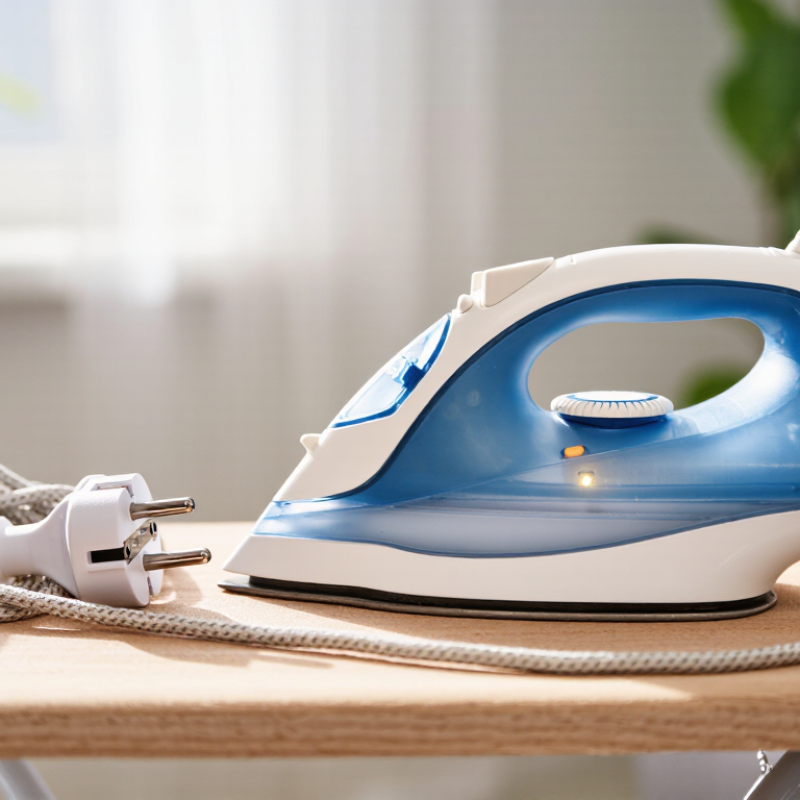
Why Is My Steam Iron Not Heating Up?

How to Confirm That a Steam Iron Is Not Heating

Before assuming the heating element has failed, check whether the iron is receiving power. Plug it directly into a dry, working outlet, then confirm the plug is fully seated. If the outlet is uncertain, test it with another small appliance. Keep the iron upright on a stable, heat-resistant surface. Set the temperature control above the minimum mark, and select a fabric setting that requires heat. Some models need a few minutes to warm up. Give it time.

Watch the indicator light while the iron heats. Depending on the design, it may turn off or cycle once the selected temperature is reached. From several inches away, check for gentle warmth above the soleplate; do not touch it or test it with your fingers. No warmth after the recommended heating time is a stronger sign of a problem. Also check that the water tank is seated correctly, since some irons behave differently when it is loose. A low steam output alone does not prove the iron is cold. It is easy to jump to a broken heater too soon; I would check the setting and warm-up time again before deciding. If the cord is damaged, the plug gets unusually hot, or the iron stays cold, unplug it and arrange qualified repair rather than opening the casing.

Common Power and Temperature-Control Problems

A steam iron that stays cold may have a simple power problem. Check that its plug sits firmly in a working outlet. Test the outlet with a lamp, and check whether a breaker or safety outlet has tripped. Start with the outlet. Keep your hands dry, and unplug the iron before inspecting its cord. Look for cuts, crushed areas, or a loose connection near the plug. If you see damage, stop using it.

Temperature settings can be just as easy to overlook. Turn the dial to a setting suited to the fabric, then give the iron several minutes to warm. A low setting may feel cool, especially when the iron is set for delicate materials. Some models heat only when standing upright, so check the operating instructions. Not yet. A power light can turn on even when the soleplate is still warming.

If the iron remains cold, unplug it and let it cool completely before checking the temperature dial again. A click during heating can be normal; repeated clicking without warmth may point to a faulty thermostat or internal electrical part. I have misread a low setting as a broken iron before, so verify the dial first. Do not open the casing or bypass any safety parts. If the cord smells burnt, the plug becomes unusually hot, or the iron still will not heat, stop using it and ask a qualified repair professional to inspect it.

How Mineral Buildup and Faulty Parts Affect Heating

Mineral buildup can interfere with an iron’s heating in ways that look like a failing thermostat. Hard-water minerals may collect inside the steam channels and around the soleplate. You might notice weak steam, spitting, or white flakes on fabric. That matters. But scale does not always explain a completely cold iron.

Unplug the iron and let it cool before checking it. Look for blocked steam vents or visible residue, then follow the cleaning instructions for that model. Avoid pouring vinegar or other cleaners into the reservoir unless the instructions specifically allow it; some materials can be damaged. It is easy to blame scale, but that is not always fair. A clean-looking iron can still have an internal fault.

If the indicator light comes on but the soleplate stays cool, a damaged heating element, thermostat, wiring connection, or thermal fuse may be responsible. These parts control or carry heat, and a failure can stop warming altogether. A light that switches off unusually fast is another clue, not proof. Don’t open the casing while the iron is plugged in. If cleaning does not help, stop using it and ask a qualified repair professional to inspect it.

Why Is My Steam Iron Not Heating Up?

Illustrative soleplate temperature after five minutes on the same high setting

These example readings are for comparison, not universal specifications. Mineral buildup most often blocks steam passages and can cause uneven performance; a faulty thermostat, heating element, or power connection can more directly prevent the soleplate from reaching temperature. Actual readings vary by iron and setting.

Safe Checks to Diagnose a Cold Steam Iron

A steam iron that stays cold may have a simple setting issue, but check it safely. Unplug it and let it cool before inspecting the cord, plug, and outlet. Look for cuts, bent pins, scorch marks, or a loose socket. If the outlet feels hot or looks damaged, do not use it. Never open the casing. Keep it unplugged.

Check the temperature control and confirm the iron is not in standby mode. Some models need several minutes to heat; watch for the indicator light to change, then test carefully over a sink. An empty tank, mineral buildup, or a safety shutoff can also affect operation. Follow the care instructions for filling or descaling, and do not add cleaning chemicals unless the instructions permit them. I sometimes overlook the dial setting; it is an easy detail to miss. If the iron remains cold, stop testing and arrange qualified repair rather than probing live electrical parts.

The risk deserves care: NFPA’s report Home Fires Involving Electrical Failure or Malfunction estimates an annual average of 46,700 U.S. home fires linked to electrical failure or malfunction during 2015–2019. Those figures cover many electrical causes, not irons specifically. Still, they support a cautious rule: do not use a damaged cord, bypass a safety feature, or leave a heating appliance unattended.

Why Is My Steam Iron Not Heating Up? — Safe Checks to Diagnose a Cold Steam Iron

Use these checks to identify common causes without opening the iron. Follow the instructions for your model if they differ.

What You Notice Safe Check What It May Mean Recommended Action
No lights or heating response Make sure the plug is fully inserted. Test the outlet with a different working appliance. The outlet may not be supplying power, or the plug may not be making a good connection. If the outlet does not work, check the household breaker or reset a tripped GFCI outlet, if present. Stop using the iron if its plug or cord is damaged.
The power light is on, but the soleplate stays cold Check that the temperature control is set above the minimum or “off” position. The iron may be powered but set too low to heat. Select a suitable fabric setting and allow the iron the warm-up time stated in its instructions.
The iron turns off after being left still Check whether the model has an automatic shut-off feature. Move it only as directed by its instructions. Automatic shut-off may have activated after a period of inactivity. Follow the model’s restart procedure and wait for the temperature indicator to show that heating has resumed.
The indicator light changes, but the iron does not seem hot yet Allow the iron to complete its normal warm-up cycle; indicator behavior varies by model. The soleplate may need more time to reach the selected temperature. Wait for the time recommended in the instructions. Keep the iron upright on a stable, heat-resistant surface while it warms.
The iron works only when the cord is moved Do not bend, twist, or manipulate the cord to test it. A damaged cord or internal connection may create an electrical and fire hazard. Unplug the iron and discontinue use. Arrange inspection or replacement through a qualified repair service.
The outlet works, settings are correct, but the soleplate remains cold Unplug the iron and let it cool. Check only for visible external damage; do not remove covers. An internal component, such as the thermostat or thermal fuse, may have failed. Stop using the iron and contact a qualified repair service or replace it. Do not attempt internal electrical repairs.
The iron heats, but little or no steam comes out Check the water level and steam setting after the iron has reached the temperature required for steam. This may be a steam or water-flow issue rather than a heating failure. Follow the instructions for filling, steam settings, and cleaning. Unplug and cool the iron before any cleaning procedure.

Safety first: Unplug the iron before inspecting it, filling or emptying its tank, or cleaning it, and let it cool as directed. Never use an iron with a damaged cord, plug, or housing, and never immerse it in water.

When to Repair or Replace the Iron

Why Is My Steam Iron Not Heating Up?
When to Repair or Replace the Iron

A steam iron that stays cold may have a simple power or setting issue. Check that the outlet works and the temperature dial is set for the fabric. Some models stop heating when an automatic shutoff feature activates. Give the iron time to warm up, and check its manual for reset instructions. If it still feels cold, unplug it. Don’t open the casing; internal electrical parts can be hazardous.

Tips: With the iron unplugged and cool, check for a damaged cord, loose plug, or heavy mineral buildup around the steam vents. Clean it only as the manual directs. Never test a frayed cord or use an iron that smells burnt. Small details matter.

Repair may make sense if the iron is fairly new, under warranty, or has one identifiable fault. A qualified repair professional can assess problems with the thermostat or heating element. Ask for an estimate before approving work; replacement parts and labor can add up. Replace the iron if it has a cracked body, recurring electrical problems, or repair costs close to the price of a suitable new model. A little uncertainty is normal: the symptom alone cannot reveal which part failed. Stop using it if it sparks, overheats, or leaks near electrical components.

FAQS

Why is my steam iron not heating up?

Check that the plug sits firmly in a working outlet. A lamp can help test the outlet. Start there.

Can the power light be on while the soleplate stays cool?

Yes. The light may turn on while the soleplate is still warming. Wait several minutes and check the instructions.

Could the temperature setting make the iron feel cold?

Yes. A low setting for delicate fabric may feel cool. Set the dial appropriately, then allow time for heating.

How can I inspect the cord safely?

Unplug the iron and keep your hands dry. Look for cuts, crushed sections, or a loose plug. Stop using it if damaged.

Can mineral buildup stop an iron from heating?

Scale may block steam vents and cause weak steam, spitting, or white flakes. It does not always explain a completely cold soleplate.

How should I clean blocked steam vents?

Let the unplugged iron cool first. Follow its cleaning instructions. Avoid adding vinegar or other cleaners unless the instructions allow it.

What might cause the iron to stay cold despite a working light?

A failed thermostat, heating element, wire connection, or thermal fuse may be responsible. The symptom alone cannot identify the part. Small clue, not proof.

Should I repair or replace a cold iron?

Ask a qualified repair professional for an estimate, especially if the iron is fairly new or under warranty. Replace it if damaged or repair costs are close to a suitable new iron’s price. I have blamed scale before; it was not always the whole story.

Conclusion

A steam iron that stays cold may have a simple power or setting issue, but it is worth confirming the problem before attempting any repair. Check that the cord is firmly connected, the outlet works, and the temperature dial is set high enough for the fabric. Allow the iron time to warm up, and look for signs such as an indicator light that does not turn on or a soleplate that remains cool. If you are wondering, “How to troubleshoot a steam iron that won't get hot?”, begin with these basic checks and consult the appliance’s instructions.

Mineral deposits can clog internal passages or interfere with heating, while a damaged cord, thermostat, or heating element may prevent the iron from reaching temperature. Unplug the iron and let it cool before checking for visible damage or cleaning it as directed; never open a powered appliance. If safe, routine checks do not solve the issue, have a qualified repair professional assess it. Compare repair costs and the iron’s condition with the cost of replacement before deciding what to do.

Isabella

Isabella

Isabella is a dedicated marketing professional with a sharp focus on driving brand growth and engagement through strategic content creation. With an extensive background in digital marketing, she combines her passion for storytelling with her keen understanding of industry trends to deliver......